 Tracer
Documentation Index
Fetch the complete documentation index at: https://opensre.com/docs/llms.txt
Use this file to discover all available pages before exploring further.
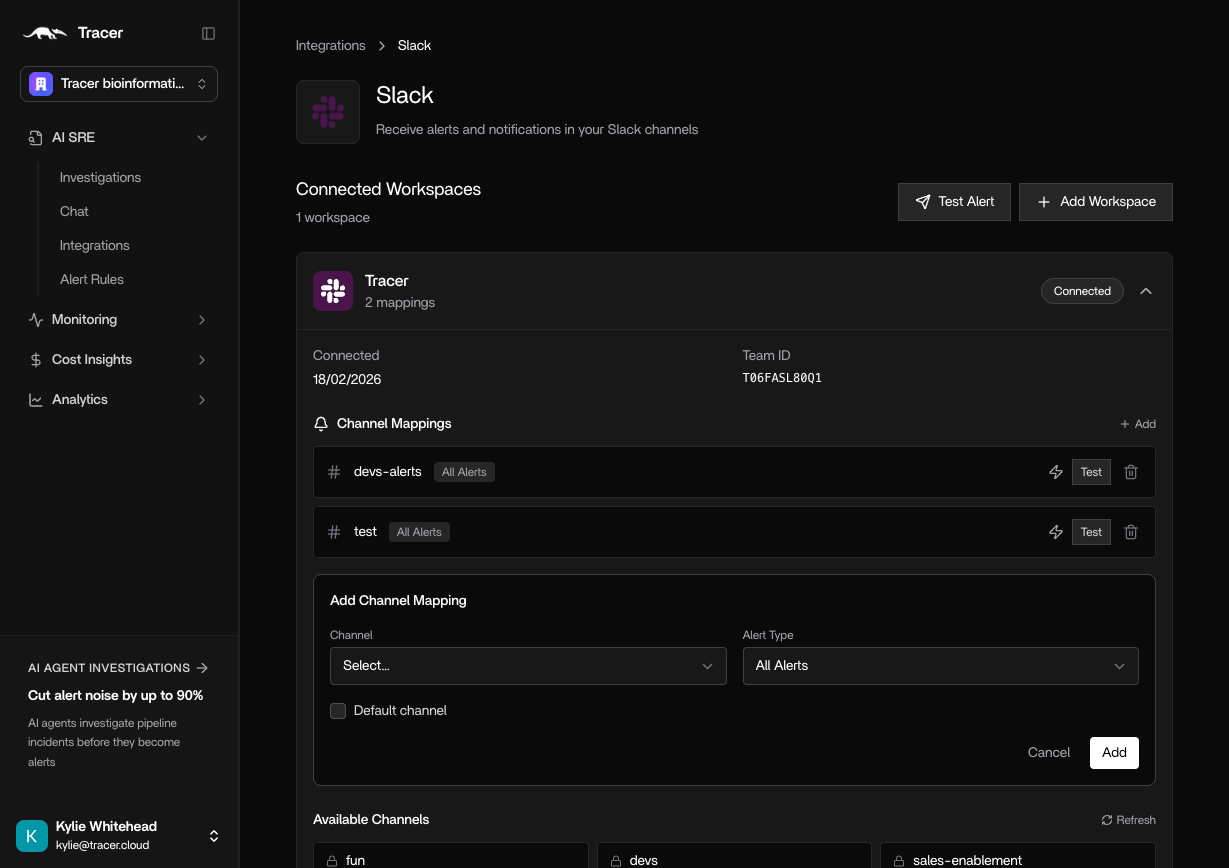
- In OpenSRE, go to Integrations → Slack
- Click Add to Slack
-
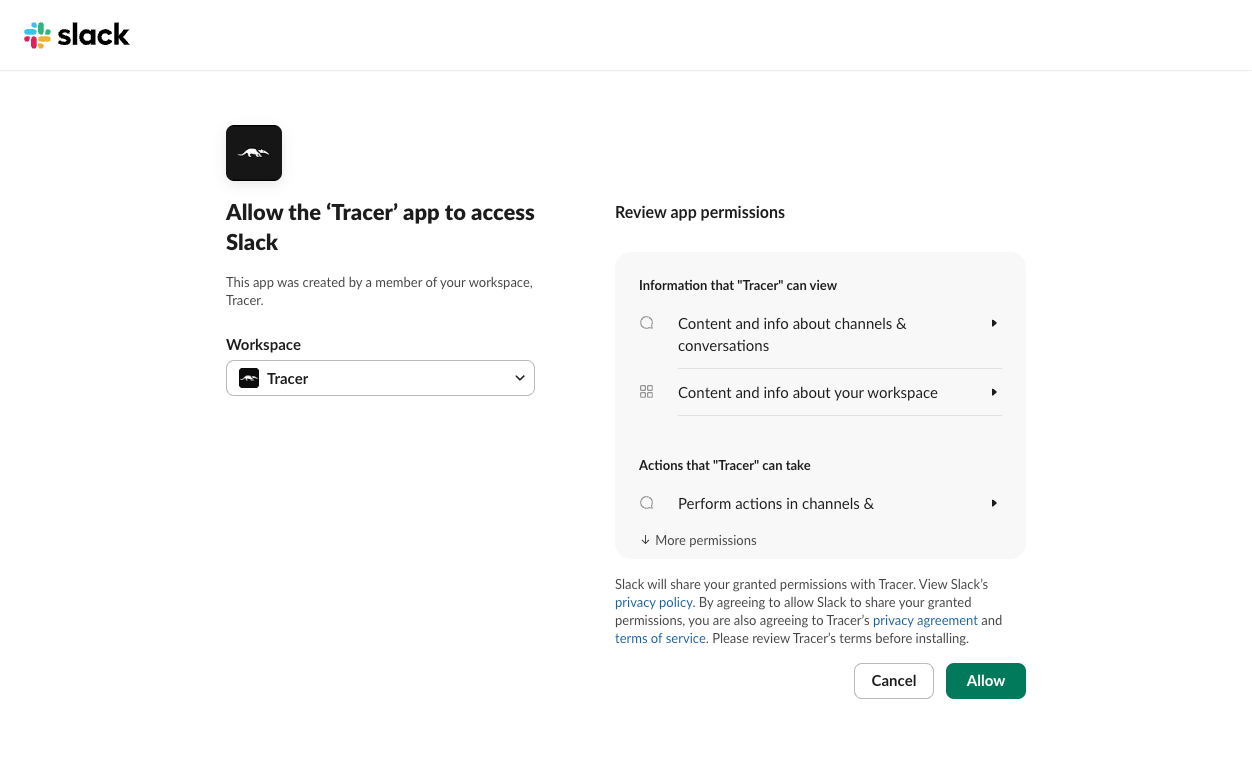
In Slack, pick your workspace and click Allow
- In Slack, open your alerts channel.
- Type /add and click Add apps to this channel
- Search Tracer and click Add. The Slack app still appears as Tracer during the transition.
- In OpenSRE, open Integrations → Slack. Under Channel Mappings click +Add. Select the channels you’ve added OpenSRE to, and select which types of alerts you’d like OpenSRE to respond to.
-
If you don’t see your channel here, you’ll need to invite @Tracey to the channel in Slack. Go to your chosen channel and use the command
/invite @Traceyto add it.